Are you afraid of exposing your card details when shopping online? 😮 Discover how a virtual card can solve this in just a few minutes. Take advantage! 🚀
Everything is explained below ⬇️⬇️⬇️
Recommended Content:
MB WAY: HOW TO USE YOUR CARD SAFELY ON YOUR MOBILE PHONE: APPLE PAY AND GOOGLE PAY
A virtual card is a temporary number generated from your real card, designed for online purchases without exposing your physical card details.
💳 The best credit and card options in Portugal — the complete list will be sent to your email.
In this article I explain how virtual cards work, what precautions to take when creating one, and how to use temporary limits to reduce the risk of fraud.
Don't waste any time and keep reading this article to understand everything!
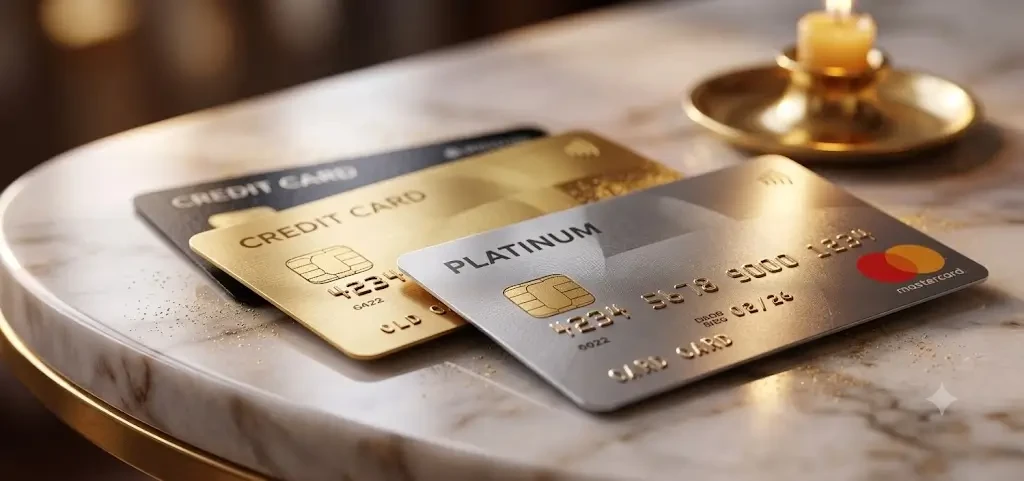
Compare credit and card options with 100% online application in Portugal!
Yes, I want to meet! I don't need to right now.
How does a virtual card work?
The virtual card generates its own number, expiration date, and security code, different from those of your physical card.
This number is associated with the same real account or card, but it can be configured with its own limit and expiration date.
After use, you can delete or block the virtual card, without any effect on the physical card.
| Minimum Income | Annuity | Installment | Benefits |
|---|---|---|---|
| Analyzed on a case-by-case basis by the bank. | Exempt on various entry cards | Installments starting from 1x on the bill | Compare available options |
Advantages of using a virtual card
- The physical card number is never exposed to the website where you are making the purchase.
- You can set a specific spending limit for that purchase.
- You can delete the virtual card as soon as the purchase is complete.
- It reduces the impact of a website with security flaws or data breaches.
- It makes it easy to cancel a subscription that insists on charging without authorization.
- Some banks allow you to create multiple virtual cards at the same time, one per store.
- It's generated in seconds, directly in the bank's app.
- It remains linked to the same account, without needing to open another product.
Before shopping online, create a virtual card and reduce the risk of fraud. It's a simple step that protects your physical card from unnecessary exposure.
Is there a cost for the virtual card?
It depends on the bank: some offer the virtual card free of charge within the app, while others charge a small issuance fee.
Always confirm the current terms and conditions directly in your bank's app or website before creating the card.
Can a virtual card be used for purchases in physical stores?
No. The virtual card was designed for online purchases, where only the card number, expiration date, and security code are needed.
To pay in physical stores, continue using your physical card, MB WAY, or your mobile phone's digital wallet.
Can I use a virtual card if I have a bad credit history or a low credit score?
Yes — the virtual card is usually linked to a card or account you already have; it's not a new credit check.
If you still don't have an approved card, the starting point remains understanding the approval criteria in this type of situation.
What limit should I set on the virtual card?
Ideally, you should set a limit close to the exact value of the purchase you are going to make.
This minimizes the amount of money that would be exposed, even if the virtual card data were compromised.
⚠️ Beware of websites or social media profiles that ask you to "generate a virtual card" through an external link or an app outside of official app stores. Always create your virtual card within your bank's official app — never through third parties.
How do I create a virtual card?
No more displaying your physical card for every purchase — creating a virtual card is quick and done within your bank's app.
- Consult the official information from the Bank of Portugal regarding security in card payments at [website address]. bportugal.pt.
- Open your bank's app and look for the "Virtual Card" or "Disposable Card" option.
- Set a spending limit and, if available, an expiration date.
- Use the number generated only on the website where you will make the purchase.
- Delete or block the virtual card as soon as the purchase is complete.
Once created, the virtual card functions like any other card in online payment settings.
It's always a good idea to check your statement after a purchase, even when using a virtual card.
Call center
Save these official contact details for questions about virtual cards or online payments:
- Bank of Portugal / Banking Customer Portal: 707 201 409, weekdays from 9 am to 18 pm.
- Your bank's contact number: check the number on the back of your physical card or in the app.
- PSP — Electronic complaint: via the official portal, available 24 hours a day.
Is it worth using a virtual card for online purchases?
It's worthwhile for those who frequently shop online, especially on new or little-known websites.
The downside is that not all banks offer this option, and some charge a small fee for each card generated.
Even so, the increased security usually compensates for the cost, especially in one-off purchases of a defined value.
- If you still have questions about MB WAY and payment codes, See how to use MB WAY safely..
- You pay a lot with your mobile phone, Check out the precautions for using Apple Pay and Google Pay..
- If you still don't know the difference between a debit card and a credit card, See the full explanation here..
Before shopping online, create a virtual card and reduce the risk of fraud.
I hope this article has been helpful; if you still have any questions, leave a comment and we'll answer it.
Frequently asked questions about virtual cards
What is a virtual card?
It's a temporary number generated from your real card, used only for online purchases.
Does the virtual card replace the physical card?
No, it works in parallel, linked to the same account or card.
Can I delete the virtual card after the purchase?
Yes, most apps allow you to delete or block the virtual card at any time.
Can a virtual card be used to pay in physical stores?
No, it's designed only for online shopping.
Does the virtual card have a cost?
It depends on the bank; confirm the terms and conditions in the app before creating an account.
Can I set a limit on the virtual card?
Yes, and ideally the limit should be close to the exact purchase amount.
Is a virtual card safer than using a physical card online?
Yes, because it reduces the exposure of physical card data in the event of a data breach from a website.
Do all banks in Portugal offer virtual cards?
No, availability varies by bank — please check directly in your bank's app.
Sources consulted: Bank of Portugal (bportugal.pt) — information on security in card payments; Banking Customer Portal (clientebancario.bportugal.pt). Accessed July 2026.
⚠️ Disclaimer
This is an independent informational content portal, with no official connection to any bank or financial institution. We do not perform any procedures on your behalf nor do we charge for them. The screens and steps change from time to time, and not all banks offer virtual cards. Always confirm the information through official channels before taking action.