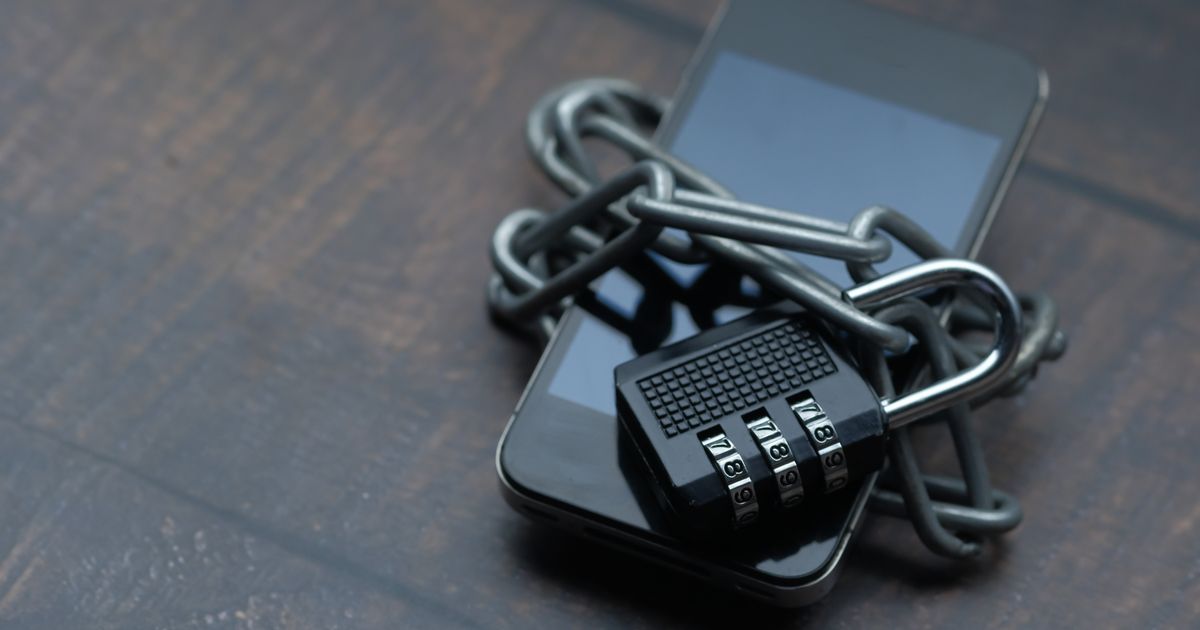
Losing access to your email account can be frustrating, but don't worry.
This guide is designed to help you recover your email password step by step.
We'll show you what to do if you've forgotten your login and how to ensure your account stays secure.
Essential Points to Recover Your Password
- To begin recovering your email password, visit your account's official recovery page and log in with your registered email or phone number.
- You'll need to confirm your identity, usually by receiving a security code via your recovery email or phone number. Make sure your registered contact information is up to date.
- When creating a new password, choose something strong, combining letters, numbers, and symbols, and that's easy for you to remember. Avoid obvious passwords.
- If you don't receive the verification code, check your spam folder or try the 'Try another way' option. If you've tried too many times, you may need to wait a while.
- If you are unable to recover your account using traditional methods, please use the login assistance tools offered by your email provider or consider contacting technical support.
Essential Steps to Recover Email Password
Losing access to your email account can be frustrating, but don't worry. There are clear paths to recovering your password and regaining control. The first step is always to go to your email provider's official account recovery page. You'll usually find a link like 'Forgot your password?' or 'Having trouble accessing your account?' on the login screen. Clicking it will guide you through the process.
Accessing the Account Recovery Page
To begin the process, you need to go to your email service's login page. Look for a link that says something like 'Forgot your password?' or 'Need help?'. Clicking this link will take you to the area where you can begin the recovery process. It's important to do this directly on the official website to avoid falling for scams.
Identifying Your Account with Email or Phone
After initiating the process, the system will ask you to identify which account you wish to recover. This is usually done by providing the full email address or phone number you associated with the account. Enter this information carefully. If you are unsure of the exact email address, it may be helpful to check with other services where you use it or in old communications.
Recovery Options: Forgot Password or Try Another Way
Depending on your email service and the security settings you've configured, the system may present several options. One is the classic 'Forgot your password?', which initiates the standard recovery process. Another option may be 'Try another way,' which may offer alternative verification methods, such as using passkeys or other devices already logged in. Choose the option that best suits your current situation.
Identity Verification and Security Code
After starting the recovery process, the next step is to prove that the account is actually yours. This is done through a security code sent to one of your recovery contacts. This is where the information you previously registered becomes very important.
Receiving the Verification Code
Your email provider (such as Google, Microsoft, etc.) will send a verification code to the alternate email address or phone number you registered with your account. Check your inbox (and spam folder, just in case) or your text messages. The code is usually a sequence of numbers.
- Access the registered recovery email or phone number.
- Look for a message with the subject “Verification Code” or similar.
- Write down or copy the code you received.
Entering the Code for Confirmation
With the code in hand, you will need to enter it on the recovery website. There is usually a specific field for this. Type or paste the code carefully. A common mistake is typing the code incorrectly, which can lead to a new temporary block.
Accuracy when entering the code is crucial. A small error can invalidate the entire process and require you to start over.
Importance of Registered Security Information
Security information, such as an alternate email address or recovery phone number, is your first line of defense. If you no longer have access to it, account recovery can become much more complicated. Therefore, it's always a good idea to keep this information up to date.
- Recovery email: It must be an email address that you access regularly and is not the email address you are trying to recover.
- Recovery phone: An active mobile number where you can receive SMS or calls.
- Security Questions: Although less common today, some accounts still use them. Remember the answers you set.
Setting a New Secure Password
After verifying your identity and confirming that you're the account owner, the next step is to create a new password. This is your chance to strengthen security and ensure your access is protected. Choose your password carefully, as it will be the key to your inbox.
Creating a Strong and Memorable Password
A strong password is one that combines uppercase and lowercase letters, numbers, and symbols. Avoid using easily guessable personal information, such as birthdates, family members' names, or simple sequences like "123456." The idea is to make it as difficult as possible for someone to guess your password.
- Mix character types: Use letters (upper and lower case), numbers and symbols (!@#$%^&*).
- Avoid obvious sequences: No “abcdef” or “qwerty”.
- Do not use personal information: Your name, birthday, or pet's name are easy to find out.
- Consider sentences: Turn a phrase you like into a password by using the first letter of each word and adding numbers and symbols. For example, "I love eating pizza on Saturdays!" could become "Eacp@s!2025."
Confirming New Password
After choosing your new password, you'll need to re-enter it in a confirmation field. This is to ensure you didn't make any typos when creating your password. Double-check that both passwords you entered are exactly the same before proceeding. A small mistake here could result in you having to start the entire process over again.
Tips for Keeping Your Password Safe
Creating a strong password is just the beginning. To keep your account secure in the long run, here are some important practices:
- Don't share your password: Never share your password with anyone, not even friends or family. Remember, your email provider will never ask for your password.
- Use different passwords: Avoid using the same password for multiple services. If one account is compromised, your others are at risk as well.
- Enable XNUMX-Step Verification: This extra layer of security requires a code (usually sent to your mobile phone) in addition to your password to log in.
- Update your password periodically: While it's no longer a hard and fast rule, changing your password every few months can be a good idea, especially if you're suspicious.
Remember that the security of your account depends largely on the quality of your password and the care you take to protect it. A well-crafted password and the use of additional security features are your best allies against unauthorized access.
Troubleshooting Common Recovery Issues
Sometimes the password recovery process can present some obstacles. Don't worry, most problems have solutions. Let's see what to do when things don't go as planned.
What to Do If You Don't Receive the Verification Code
This is a frustrating but common situation. If you requested a verification code and it just won't arrive, follow these steps:
- Check your spam or junk folder: Sometimes automated emails end up there. Take a look before assuming the code is lost.
- Confirm email address or phone number: Please make sure the email address or phone number the code was sent to is correct. A small typo could prevent delivery.
- Wait a few minutes: In some cases, there may be a slight delay in code delivery. Wait about 5 to 10 minutes, and if still no response, request a new code.
- Try another recovery option: If your email provider is having issues or your cell phone signal is weak, you may want to try receiving the code using another method, if available.
Please note that delays in code delivery may be due to unstable email or telephone services. Please be patient and try again after a while.
Dealing with Excessive Recovery Attempts
If you've tried to recover your account multiple times and received messages about excessive attempts, the system may have temporarily blocked your access to prevent unauthorized access. What to do:
- Wait for the blocking period: Typically, after a few failed attempts, the system imposes a waiting period. This period can vary, but is usually a few hours to a day.
- Don't try to recover at all costs: Trying multiple times during the blocking period can extend the wait time or even make the situation more complicated. Give it time.
- Review the information provided: When you can try again, please make sure all the information you're providing (such as answers to security questions, dates, etc.) is correct. Inaccurate information can lead to errors.
Recovering Accounts Without Access to Recovery Email or Phone Number
This is a more sensitive scenario, as recovery information is the main way to prove the account belongs to you. If you've lost access to your registered email or phone number:
- Use the login helper tool: Most email services offer a dedicated tool for these situations. It may ask for additional information to confirm your identity, such as:
- Account creation dates.
- Frequent contacts.
- Subjects of recently sent emails.
- Other passwords you've used.
- Be as accurate as possible: Answer all questions as accurately as possible. The more accurate information you provide, the greater your chances of success.
- Consider creating a new account: As a last resort, if all recovery attempts fail and you can't prove the account is yours, you may need to create a new email address. Think of it as a fresh start, but with the experience you've gained to better protect your new account.
Additional Account Access Resources
Sometimes, even after following all the steps, recovering your email account can present some obstacles. In these situations, it's good to know that there are other tools and solutions that can help resolve the issue. Don't despair if the more straightforward methods don't work right away.
Using the Login Helper Tool
If you're having persistent difficulties accessing your account, many email providers offer login assistance tools. These tools are designed to guide you through a more detailed process, asking specific questions about your account and usage history to verify your identity. They can be especially helpful if you don't remember all of your recovery information or if it has changed.
- Access the tool: You'll usually find it on a help page or a direct link on the login screen, often labeled "Need help signing in?" or "Having trouble signing in?".
- Please answer carefully: The tool will ask you a series of questions. Try to answer as accurately as possible, using information you remember from when you created the account or from recent interactions.
- Follow the instructions: The tool may suggest additional steps or prompt you to try a different recovery method based on your answers.
When to Contact Technical Support
In situations where automated tools aren't enough, contacting technical support directly may be the solution. It's important to note that not all email providers offer direct phone support for account recovery for security reasons. However, many offer contact forms or online chats.
- Check contact options: Check your email provider's help section for information on how to contact support.
- Prepare your information: Have all the information you need to prove the account is yours, such as creation dates, frequent contacts, old email subject lines, etc.
- Be clear and objective: When explaining your issue, be direct and provide as much detail as possible to expedite assistance.
Remember that services that promise to recover your account for a fee or ask for verification codes by phone or email outside of official channels are usually scams. Your account security is a priority, and reputable providers don't request sensitive information through insecure means.
Creating a New Account as a Last Resort
If, after exhausting all recovery options, you still can't access your old account, you may need to consider creating a new one. While this may seem like a last resort, it's a way to ensure you continue to have a functional email service.
- Plan the transition: Inform your contacts about your new email account. If possible, try to recover important information from your old account before giving up on it completely.
- Configure security: When creating your new account, be sure to set up all available security options, such as an updated recovery email and phone number, and enable two-factor authentication.
- Avoid repeating mistakes: Reflect on what may have led to your previous account loss to prevent it from happening again. This could include using stronger passwords or recording more reliable recovery information.
What now? What to do if none of this works?
If you've tried all the tips and still can't access your email account, don't despair. Sometimes technology plays tricks on us. In these cases, the best course of action is to seek direct help from your email provider. Whether it's Google, Microsoft, or another service, they usually have support tools or forms specifically for situations like this. Remember to have as much information as you can about the account, such as approximate creation dates or other data that can prove it's actually yours. And, of course, if all else fails, creating a new account may be the quickest solution to getting back online.
FAQ
What should I do if I don't receive the verification code to recover my password?
If you don't receive the verification code, first check that you entered the correct email address or phone number. Sometimes, the code can take a while to arrive. If you still don't receive it, look for an option like 'Try another way' or 'I didn't receive the code.' You may need to use a different recovery information than the one you previously registered.
Can I try to recover my password multiple times if I make a mistake?
Yes, you can usually try to recover your password as many times as you need. However, if you make too many mistakes in a row, the security system may temporarily block attempts to protect your account. In this case, wait a while before trying again or look for other recovery options.
What happens if I no longer have access to my recovery email or phone?
This is a tricky situation, but not impossible to resolve. Look for help tools offered by your email provider, such as a 'login wizard' or 'helper tool.' You may be asked more detailed questions about your account to prove it's yours.
How do I create a strong password so this doesn't happen again?
A strong password is one that combines uppercase and lowercase letters, numbers, and symbols (!@#$). Avoid using easily guessable information, such as your name, date of birth, or common words. Try to create a phrase that only you understand and use the first letters of each word, mixing in numbers and symbols.
Can I recover my password using another phone or computer?
Yes, you can attempt to recover your password from any device with internet access. The important thing is to have access to the recovery information you registered, such as your email address or alternate phone number, to receive the verification code.
What should I do if I suspect someone has hacked my account?
If you think your account has been compromised, the first step is to try to regain access as quickly as possible by following the password recovery steps. Once you regain control, immediately change your password to a strong one and verify your account security information. Enable two-step verification if possible.